
The tabs
The Candle Harness has ten tabs. A fresh install shows five: Trade, Cockpit, Research, Bots and Build. The other five, Trending, Signals, P&L, Journal and Perps, are there ticked off, one tick away in settings ▾ or the palette. A layouts.toml of yours that lists tabs keeps its own choice, and a new tab is added to it ticked off, said once. Each tab is a layout of panes, and each is a setting: tick any of them on or off in settings ▾, and change the layout of the tab you’re on from settings ▾ → layout (Make it yours). Click a tab, or press its digit with the tab bar focused.
Panes are read only while they’re on screen, so a tab you aren’t looking at costs nothing.
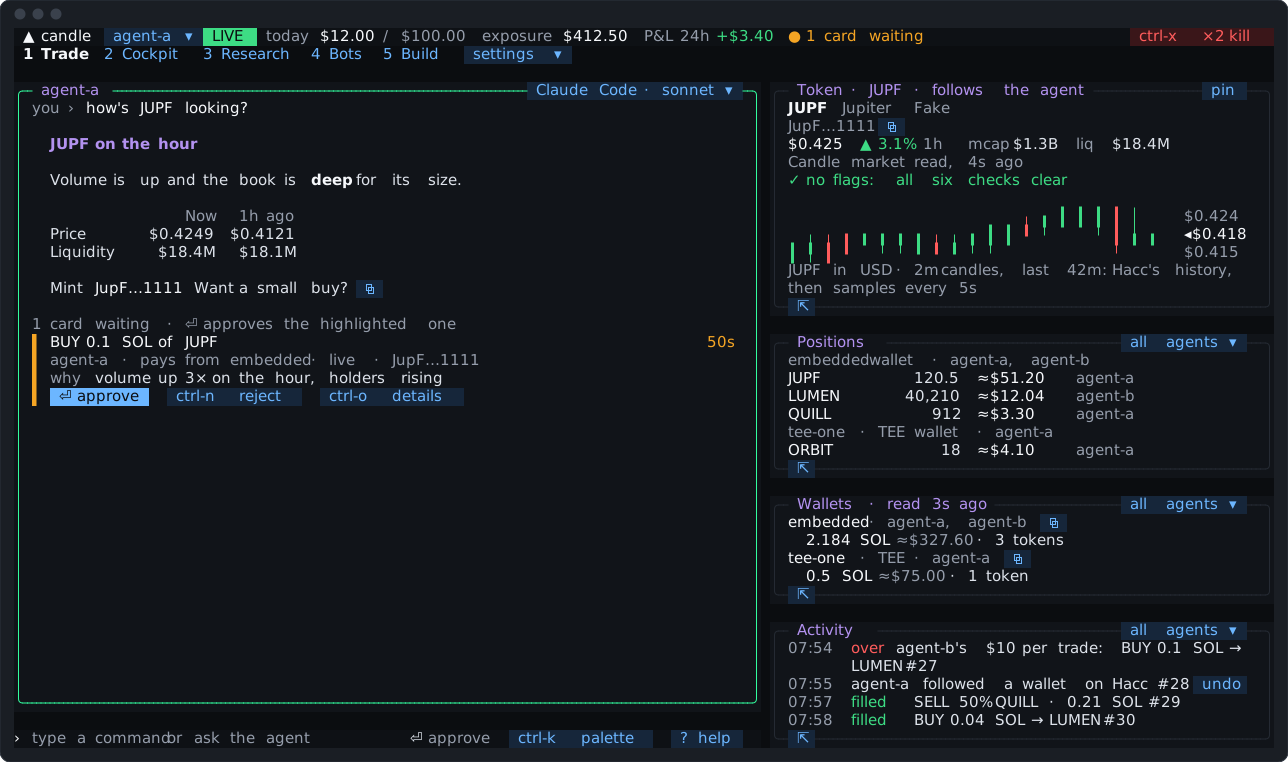
Your agent, with its cards inline, beside the token, positions, wallets and activity. It’s where you talk to the agent and approve what it proposes.
- Positions: what you hold, by wallet, at the newest price, with the agent that holds it.
- Wallets: each wallet, its agents and its balance (Wallets).
- Activity: what happened, newest last, in words: cards proposed, approved and rejected, fills, refusals, the agent’s changes on Hacc with their
undo. It scrolls back through the day.
The token pane
Section titled “The token pane”The linked token: its name and a short mint with ⧉, its price and hour’s change, market cap and liquidity, its safety check, and where it launched (pump, candle and so on). The chart is two-minute candles: the last hour from Hacc’s history at once, then Candle’s price every 5 seconds on top.
The title says how it got there: follows the agent when the agent showed the token, or the pane you picked it in. pin holds it on that token while the link moves on.
Cockpit
Section titled “Cockpit”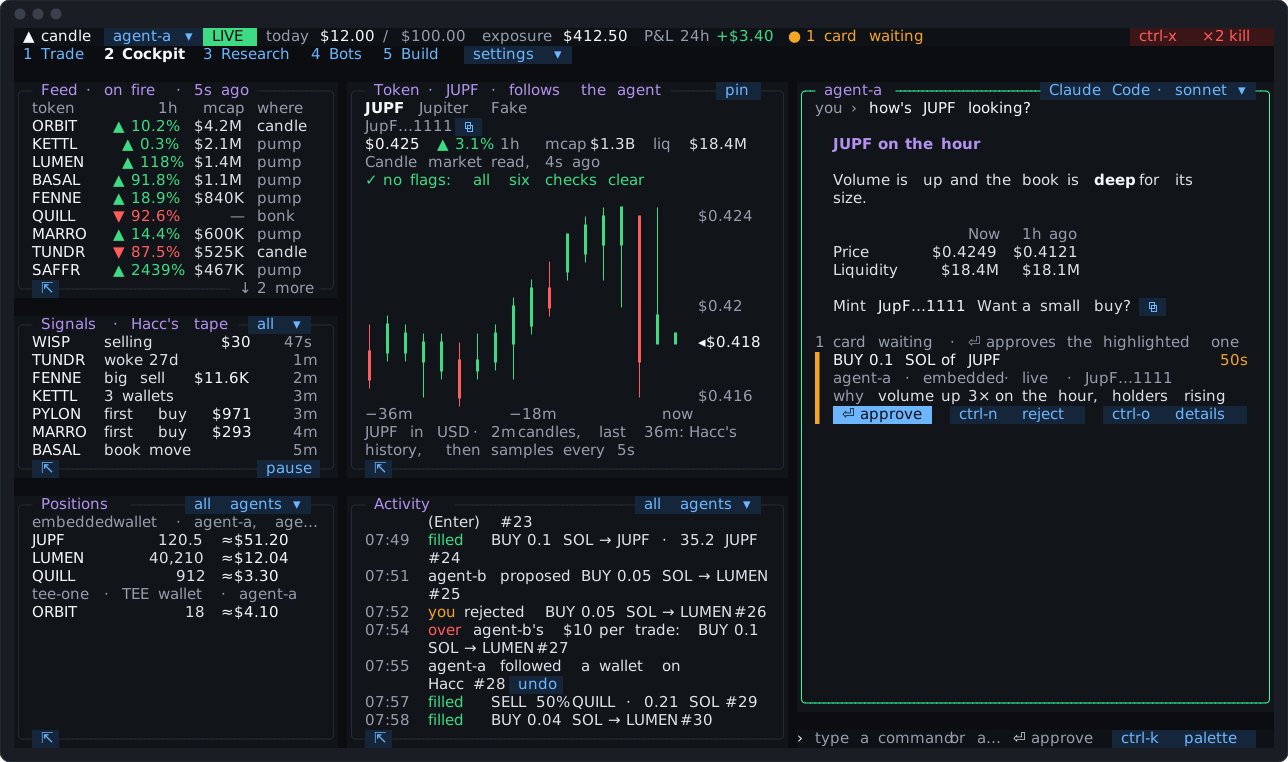
For watching the market with the agent at hand: Candle’s On Fire list over Signals, the token beside them, positions and activity along the bottom, and the agent down the right. Pick a row in Feed or Signals and the token pane follows it.
Trending
Section titled “Trending”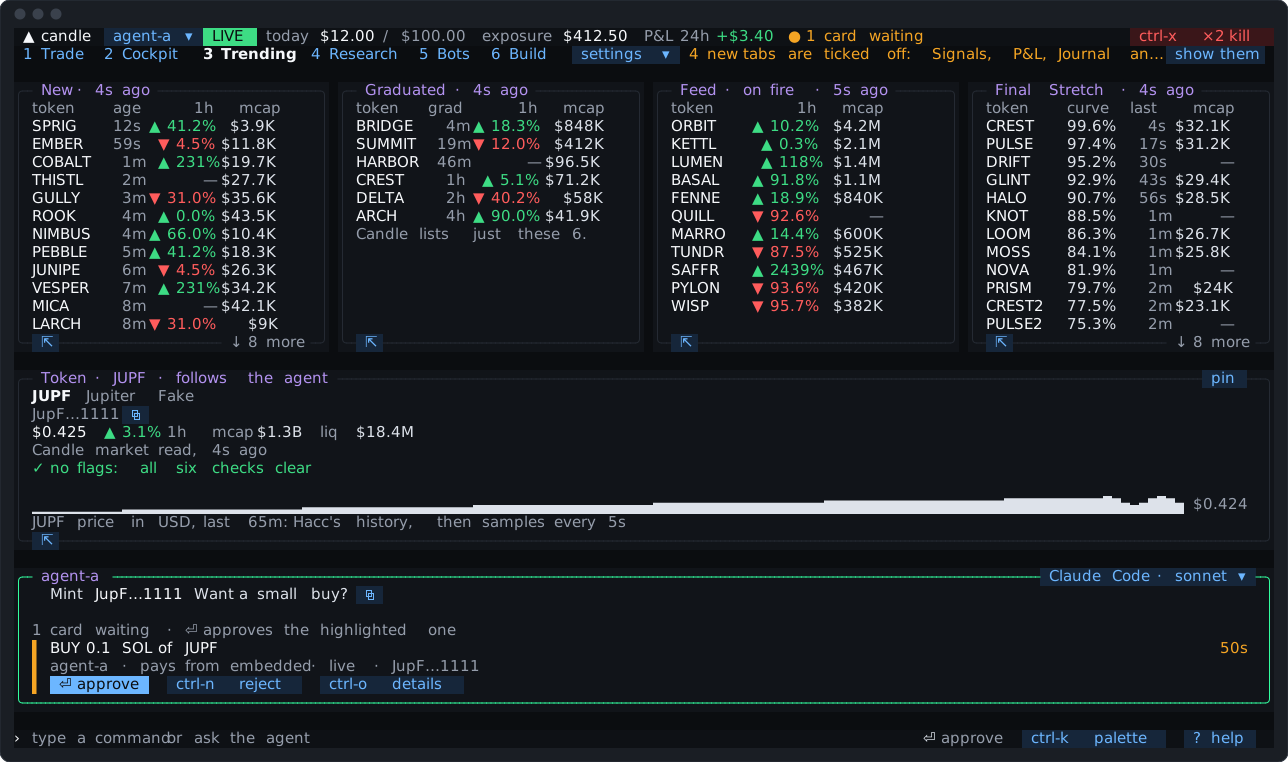
Candle’s four lists side by side, read every 15 seconds while the tab is on screen:
- New: each token with its age;
- Graduated: when each graduated;
- On Fire: each token’s hour’s change, market cap and price;
- Final Stretch: each token’s progress along its curve, and its last trade. When Candle has it switched off, the pane says so, and its width goes to the other lists.
Every row picks its token, and ctrl-t puts a question about it on the line. On a narrow terminal it’s one list at a time, with a chip to switch.
Signals
Section titled “Signals”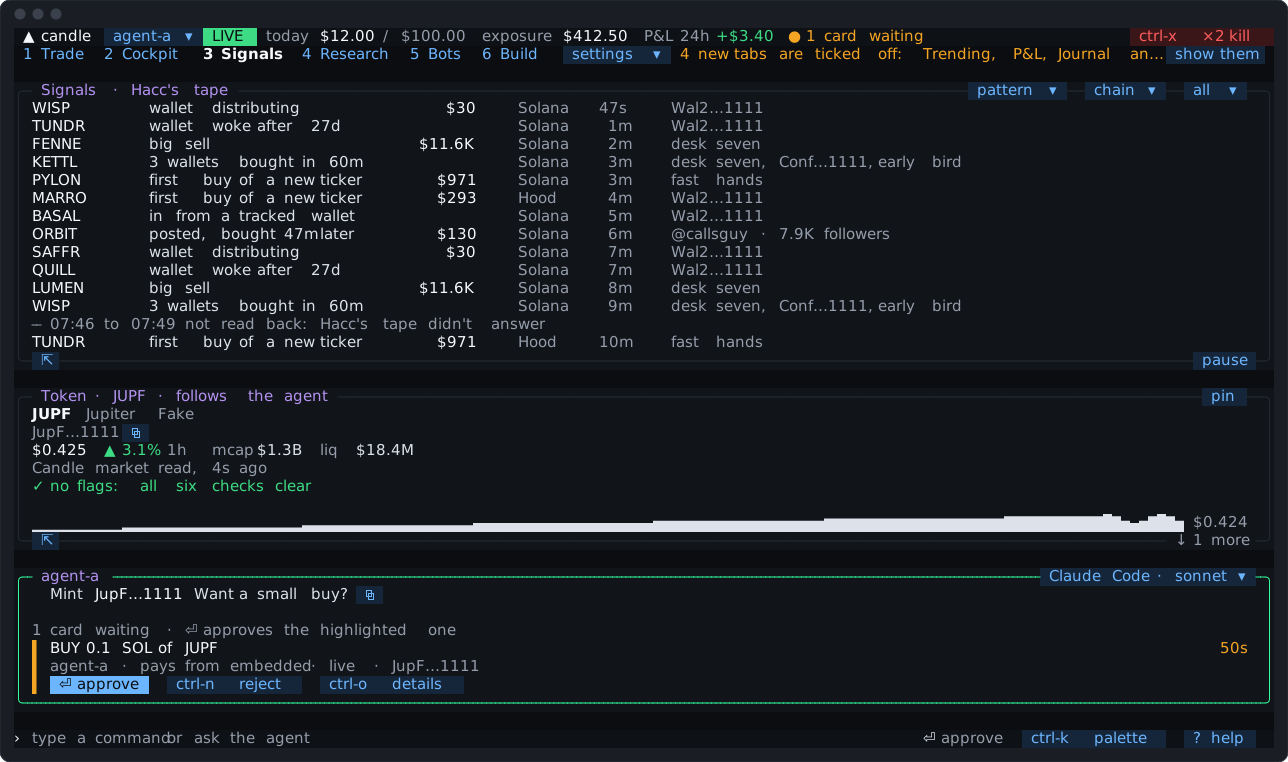
Hacc’s signal tape at full width. Each row says what happened in plain words, its size, the wallets behind it (their labels, @handles, and whether you follow them), the chain and its age.
all ▾switches between Hacc’s whole tape and mine, the signals from your own rules (Pro and Max).pattern ▾andchain ▾filter it. Each filter is also read back from Hacc’s tape, so a rare pattern shows its recent signals, not only what arrived since you opened the tab. A filter that matches nothing says over what span, withclear filters.- Pause holds the tape still and counts what arrives meanwhile. Highlighting a row holds it too.
Each tab keeps its own filters, across restarts.
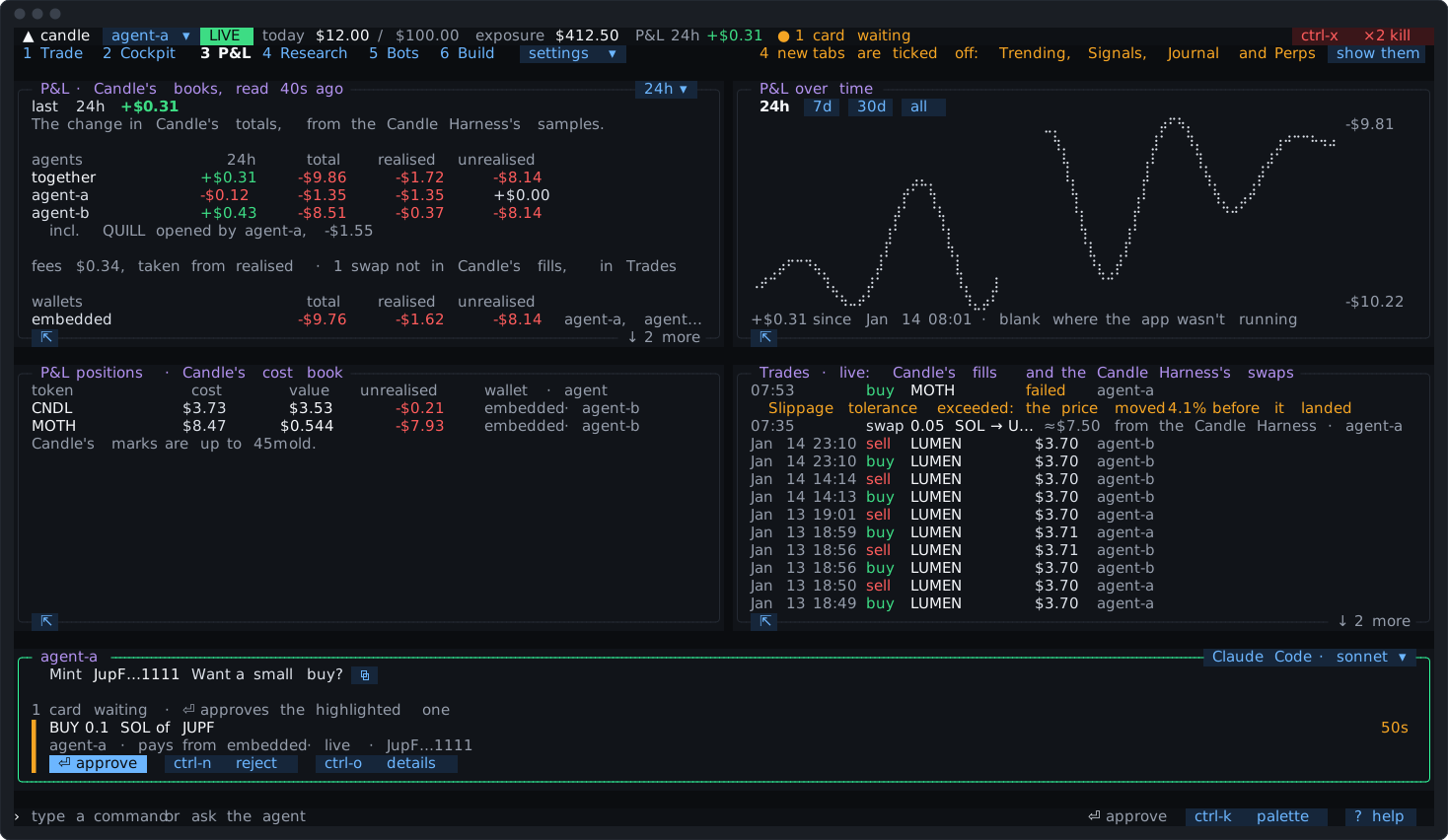
The window. Every P&L figure names its window. It’s 24 hours by default, or since midnight, since a time of day, or since your last session. Change it with the pane’s 24h ▾ chip, settings ▾, the palette, or by typing pnl since 18:00. The status bar’s figure follows it.
- P&L: the window’s figure, then Candle’s books for your agents, together and each. Where two agents share a wallet and one opened a position the other closed, it says opened by. Under them: fees, the swaps Candle’s fills leave out, the wallets across agents, and paper P&L apart, marked
≈, since it’s costed at its quotes. - P&L over time: a chart from the Candle Harness’s own samples, with chips for the window, 7 days, 30 days and all. A gap in the record is drawn as a gap, and said.
- Positions: Candle’s cost book.
- Trades: Candle’s fills, with swaps marked and failed trades in words.
Candle is the book of record. Its P&L has no window of its own, so the Candle Harness samples it and measures the window from those samples. P&L is read again shortly after each fill. Ask the agent “how am I doing today?” and it answers from the same figure.
Research
Section titled “Research”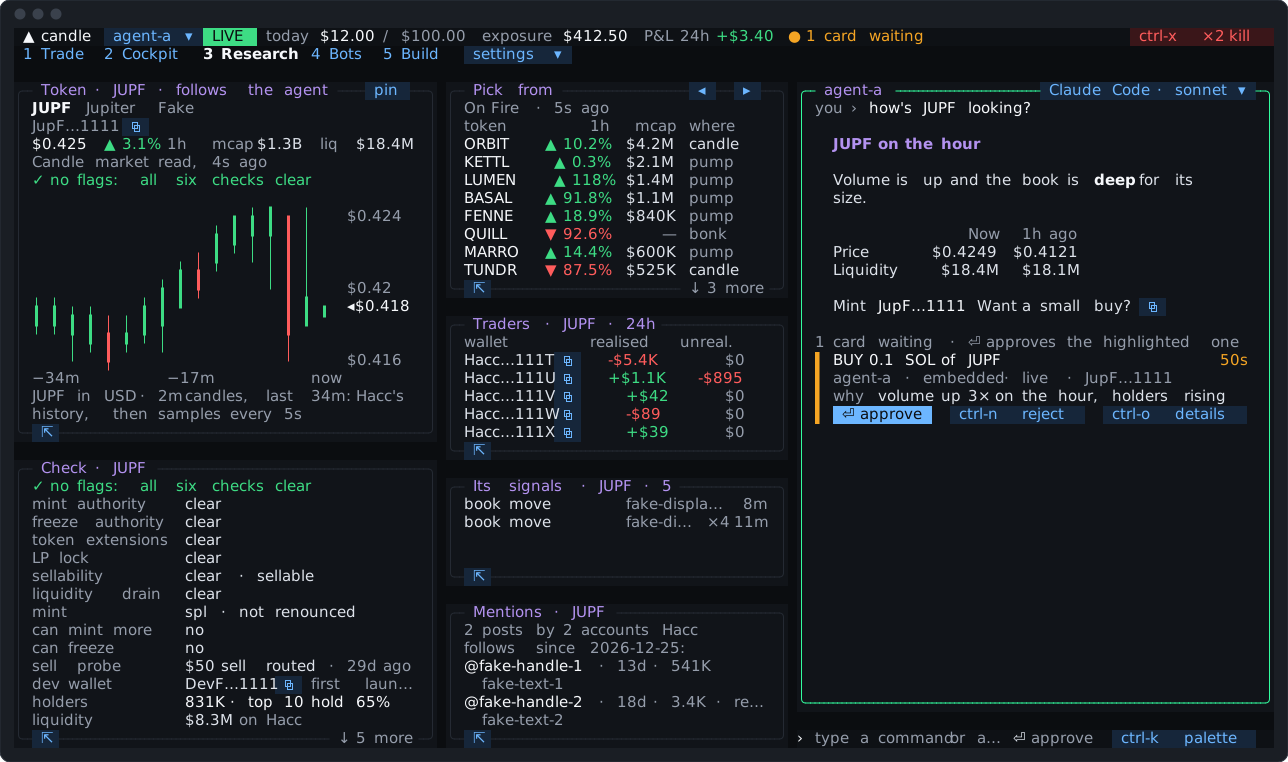
One token in depth, the linked one, beside a list to pick from:
- Check: each of Candle’s safety flags in words, who can still mint or freeze, whether it could be sold, the dev wallet, Hacc’s holders and top-10 share, liquidity, age and stage, and what couldn’t be checked;
- Traders: Hacc’s top traders on it over 24 hours, each with its P&L and a
⧉; - Its signals: Hacc’s tape for this token alone;
- Mentions: posts about it from the accounts Hacc follows. These are shown as data, and never put into a question to the agent.
Below 130 columns the tab collapses to the agent and one pane, and opens on Check.
Journal
Section titled “Journal”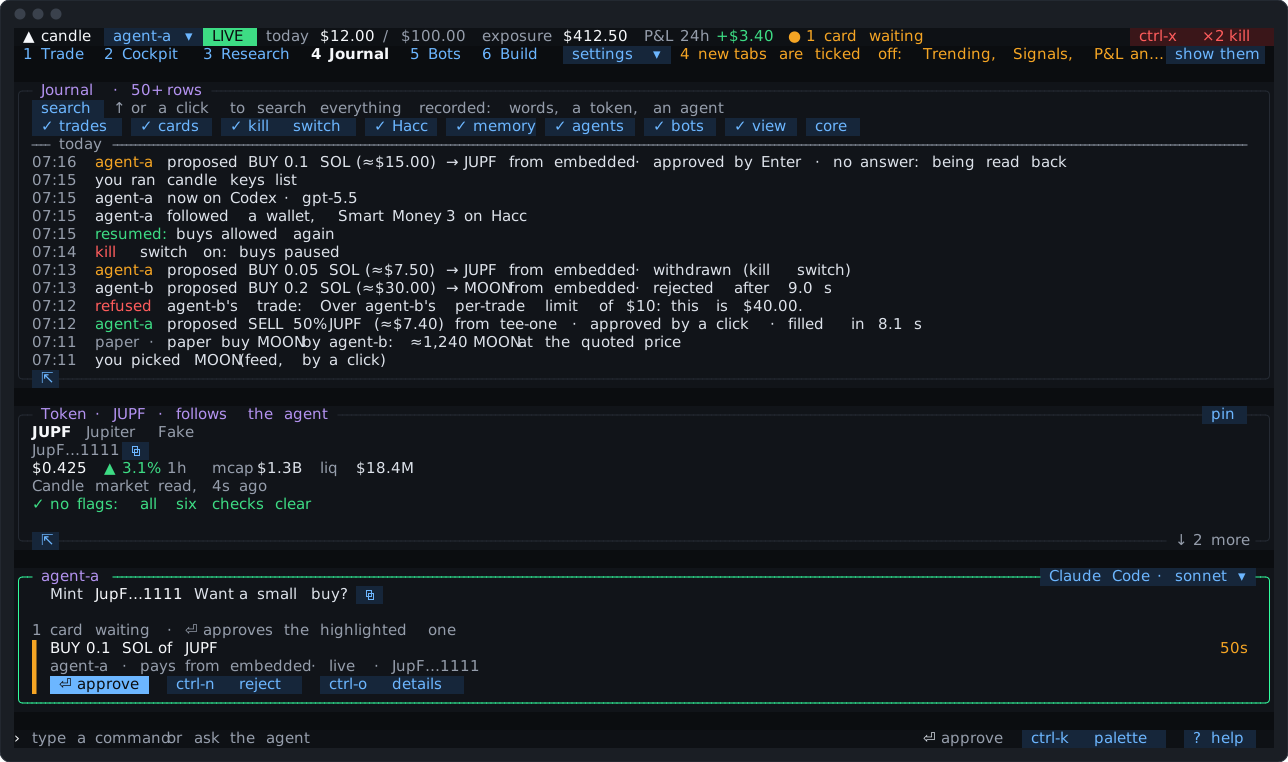
Everything the core recorded, in words, newest first: one row for each card’s life (“proposed … · approved by Enter · filled in 4.3 s”), one for each agent turn, and the rest as Activity says it.
- Search over the whole record, not only today’s:
↑from the first row, or the search chip, types into the search line.escgives the keys back to the input line, and⏎there never approves anything. - Kind chips filter by trades, cards, the kill switch, Hacc, memory, agents, bots and the view. The core’s own rows are off by default.
↓past the last row reads the next page.ctrl-oshows a row as it was recorded, with⧉.
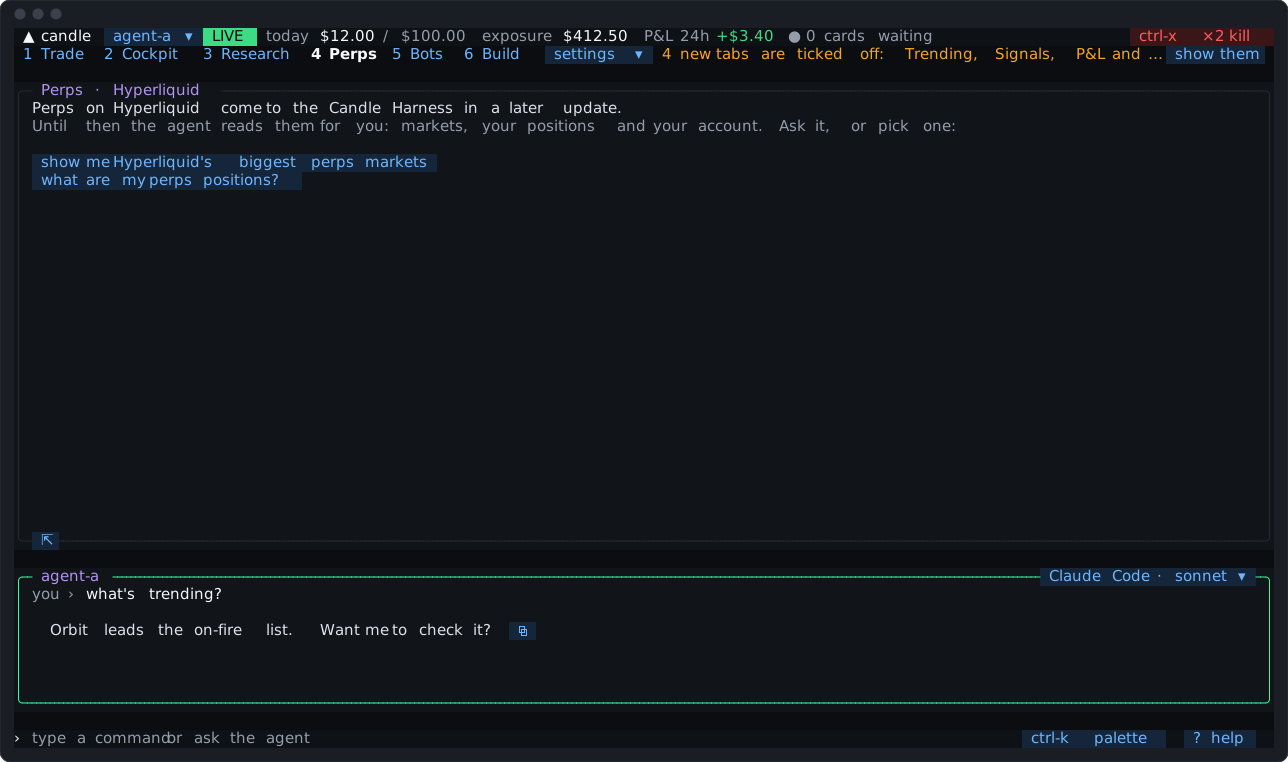
What works for perps today, with chips that put perps questions on the input line for the agent. Trading perps from the Candle Harness isn’t there yet; Candle has it from its CLI and app.
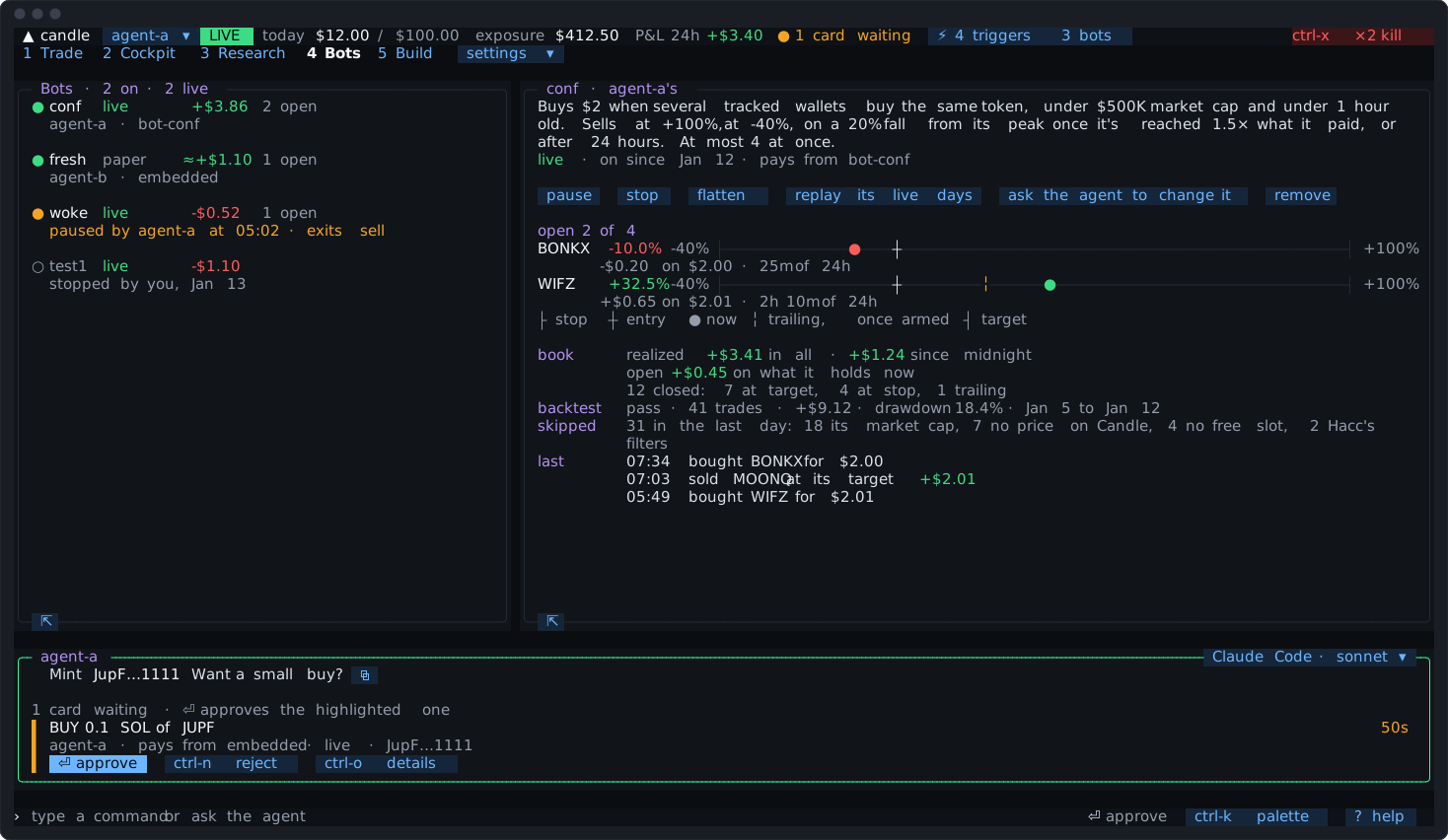
Your rules bots and then your code bots on the left, each with its state, paper or live, and its P&L from its own fills. The one you pick on the right: for a rules bot, its words, each open position on a line from its stop to its target, its book, its backtest, what it skipped and its newest fills; for a code bot, what it runs and its process, its figures and today’s use, its positions with the exits the core holds, what the bot says and the core’s count. Chips pause, stop, flatten or remove it, or ask the agent to change it.
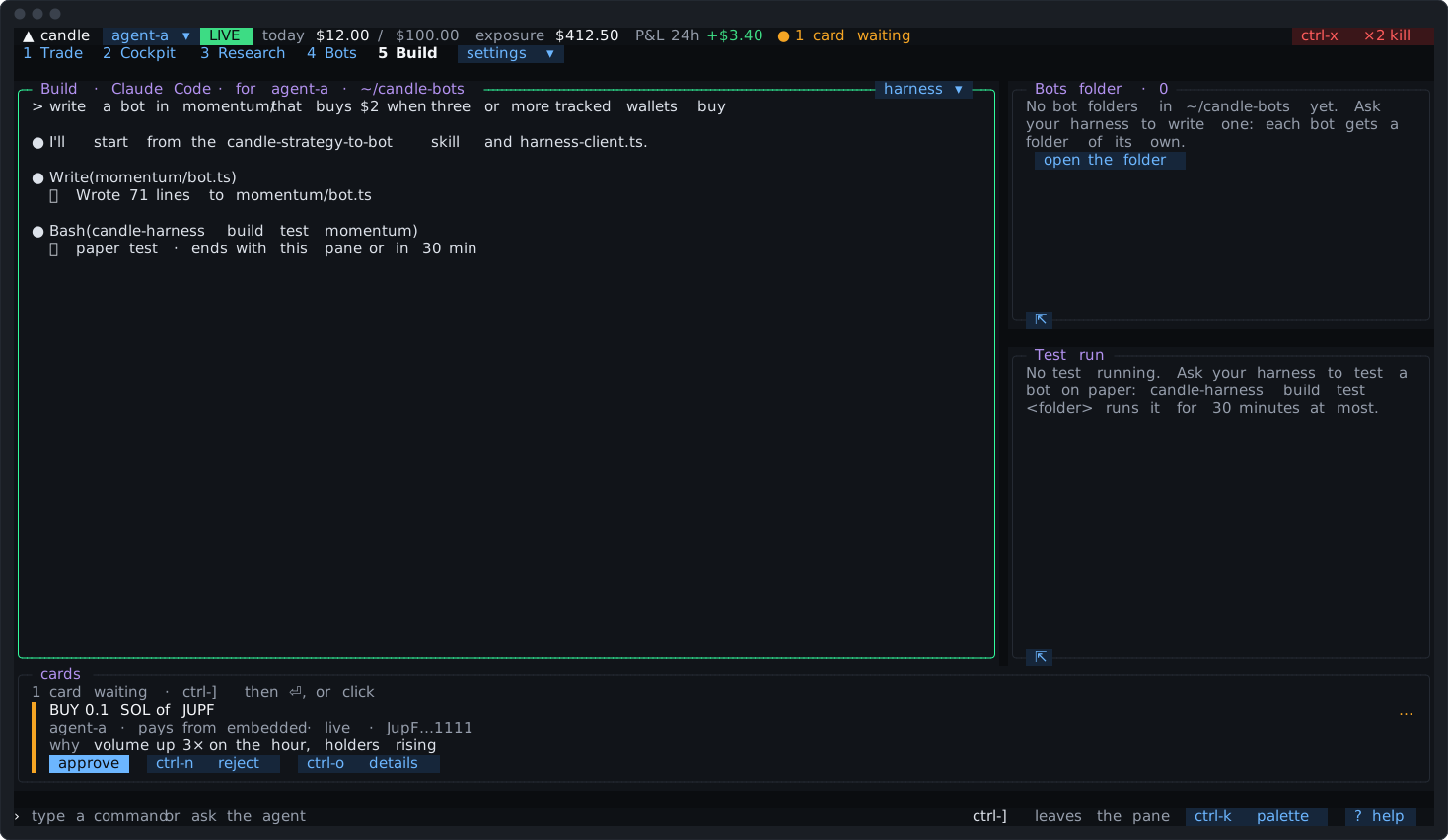
Your own coding harness, signed in as you, in a terminal pane in your bots folder, with the bots folder and the paper test that’s running beside it. It writes code bots, tests them on paper and proposes them as cards you approve (The Build tab). Every key is the harness’s while the pane has focus; ctrl-] leaves it. Waiting cards show in a strip under it.
The short agent pane
Section titled “The short agent pane”The tabs that don’t show the agent pane (Trending, Signals, P&L, Journal, Perps and Bots) keep a short one across their foot, eight rows tall. Questions you type there, or put there with ctrl-t, are answered on the tab, and a waiting card keeps its place in it.